

Requests in ShifaTH
A request tells a selected Provider what you need and starts a conversation linked to that request.
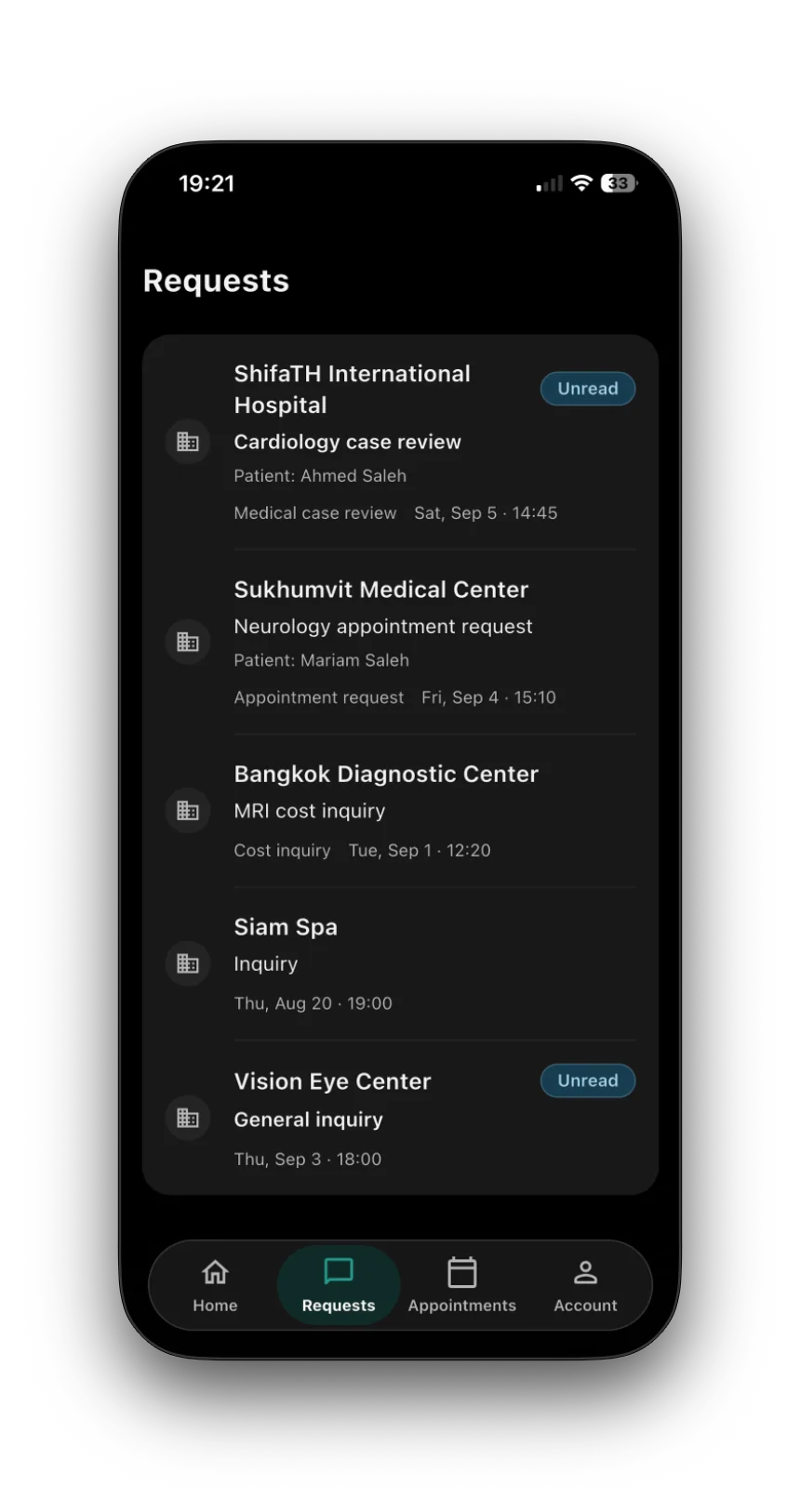
What a request is
A request is your starting point for a question, a medical case review or an appointment request, depending on the Provider’s category. It belongs to the Provider you chose.
Choose the purpose that fits your need
Hospitals offer four request types:
General inquiry: ask a general question.
Price or cost inquiry: ask about the cost of care or a service.
Medical case review: ask the Hospital to review information about a medical case.
Appointment request: ask the Hospital to arrange an appointment.
Clinics and other supported Provider categories use inquiry and appointment-request flows. Their requirements can differ from Hospital flows.
Requirements depend on your request
The request type, Provider policy and selected service determine what information is needed. A Hospital general inquiry does not require a completed passport or medical reports. Medical case reviews and official appointment actions have additional identity or information requirements. Complete any missing requirements before submitting.
One Provider, one independent relationship
Your request has its own Provider-specific conversation and status. If the Hospital flow lets you select several Hospitals in one submission, ShifaTH creates a separate request and conversation for each. Their replies and information remain separate.
After you submit
The selected Provider receives its request and the information authorized for it. Use that conversation to follow replies and discuss the next step. Further information or an appointment may be relevant, depending on your request.
What submission means
Submission starts a request; it does not guarantee a reply, acceptance for treatment, a final price or a confirmed appointment. A preferred date remains a preference until the appointment is officially recorded through the authorized process.
Read more about each request type
Use the related explanations for the request you are considering, then return to the Provider you want to contact.